You already use Claude Code and/or ChatGPT (Codex) to get your most valuable work done. SmallCRM is the CRM-layer that your existing agents plug into to turbocharge your business. With SmallCRM your agents clean and input your data, create as many automations and pipelines as they can imagine, and integrate with your email and messaging providers to manage campaigns.
Works with Claude · Codex · Cursor · Gemini · opencode
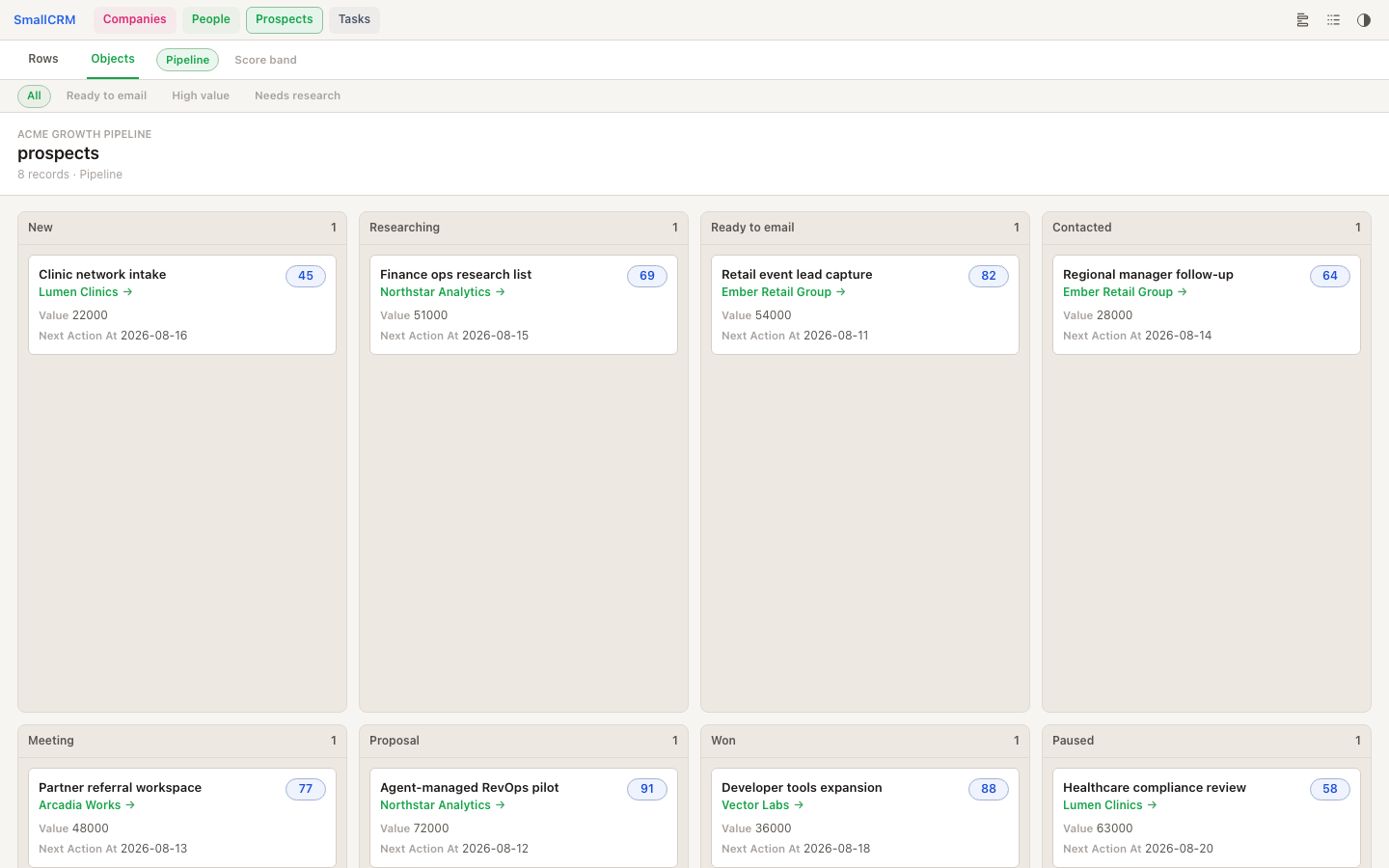
SmallCRM is built for a different workflow: you do not spend your day manually operating the CRM. Your coding agent is the primary interface. It inspects the live workspace, writes records, creates views, wires forms and webhooks, and opens the browser when you need to review or share the work.
SmallCRM is early and moving quickly around real workflows. If a missing view, integration, field type, or workflow would unblock you, tell us; that feedback can turn into product work fast.
scrmThe CLI (command-line tool your agent runs for you) is the source of truth for schemas, records, views, forms, webhooks, auth, workspace binding, and event logs.Open a public demo workspace and click around like a real CRM. Try rows, object boards, saved filters, record drill-downs, relation links, logs, and form intake.
Public workspaces
Acme Growth PipelineA B2B sales workspace with companies, people, opportunities, tasks, saved filters, and relation links.Launch Event IntakeA public-form intake workspace with attendees, companies, signups, follow-ups, and grouped submissions.Customer Ops DeskA customer success workspace with accounts, subscriptions, incidents, touchpoints, owners, and risk filters.Install SmallCRM for personal projects and early experiments. Your agent creates durable CRM state you can query, render and keep improving over time.
Start with the CLI
curl -fsSL https://smallcrm.org/install | sh~/.smallcrm on macOS/Linux, without sudo. Re-run it to upgrade in place.scrm setup-agentWalk me through SmallCRM and suggest how we should use it for this project.Paste this prompt into a coding-agent session. It asks the agent to install the CLI, set up the SmallCRM skill, and inspect the current project binding.
Please install or update SmallCRM for me, then set it up for this project. SmallCRM is a CRM and persistence layer for the coding agents I already use. It should let you define schemas, store records, query them, render views, and wire forms without building a custom web app. Please: 1. Check whether `scrm` is installed. 2. If not, prefer `curl -fsSL https://smallcrm.org/install | sh` on macOS/Linux. It installs into `~/.smallcrm`, avoids sudo/global npm, and re-running it upgrades in place. Use npm only when the shell installer is not appropriate, such as Windows or a deliberately Node/npm-managed environment. 3. Run `scrm setup-agent` from this project folder. This installs or updates the SmallCRM skill your future agents can read, and writes directory-local context when this folder is connected to a hosted SmallCRM workspace. 4. Run `scrm status --json`. This checks auth, cwd, hosted workspace binding, and next commands without exposing session tokens. 5. Give me a brief tour of SmallCRM covering four things: agent setup/discovery, collections/schemas/records, browser views/forms/webhooks, and event logs/history. 6. Treat the CLI as the source of truth for live schemas, records, forms, webhooks, views, auth state, and workspace binding.
The install command is the intended macOS/Linux path. It installs into ~/.smallcrm, a folder you own, so it never needs sudo. Re-running it upgrades in place.
The CLI can still be installed through npm for Windows or Node-first environments.
After installing, run scrm setup-agent to install the global SmallCRM skill and write workspace context for this directory.
Run scrm status --json. It reports machine auth sessions, whether the current directory is linked to a workspace, and the next CLI commands an agent should use for live discovery.
Share the agents you already use and the work you want SmallCRM to help with.